
स्वागत है · इन्दौर ज़िला Apna Indore · Madhya Pradesh
Indore: అన్నీ ఒకే చోట
🎤 మైక్ నొక్కి మీకు ఏం కావాలో చెప్పండి Tap the mic and say what you need
సేవలు Services
అన్నీ › ఫంక్షన్ హాల్Halls
 డాక్టర్లుDoctors
 రిపేర్లుRepairs
 భోజనంFood
 వ్యవసాయంFarming
 చదువుEducation
 దుకాణాలుShops
 రవాణాTransport
ఈరోజు Today
మరిన్ని ›త్వరిత సహాయం Quick help
ఈరోజు · Indore
⚠️ Report✅ ఇంకా ఏమీ లేదు.
మరిన్ని సేవలు · More Services
ప్రతి షాపు, సేవ, కార్యాలయం — కాల్, వాట్సాప్, మ్యాప్తో.
 రోజువారీ అవసరాలుDaily needs
 నిర్మాణం, సామగ్రిConstruction & materials
 వాహనాలు, గ్యారేజీలుVehicles & garages
 రియల్ ఎస్టేట్, అద్దెలుReal estate & rentals
 పెళ్లిళ్లు, ఈవెంట్స్Weddings & events
 బ్యూటీ, ఫిట్నెస్Beauty & fitness
 హోటళ్లు, బసHotels & stays
 స్థానిక ఉత్పత్తులుMade in Bidar
 నిపుణులు, ఫైనాన్స్Professionals & finance
 పౌర సేవలుCitizen services
 ప్రార్థనా స్థలాలు, సమాజంWorship & community
 Ask Indore
 Your next opportunity
 ఉద్యోగాలుJobs
Apna Indore · इन्दौर ज़िला
Indore ప్రత్యేకతలు
The pride of Indore, Madhya Pradesh.
ఈరోజు కొత్తవి
ఇంకా ఏమీ లేదు. Post the first one.
Indore చూడండి
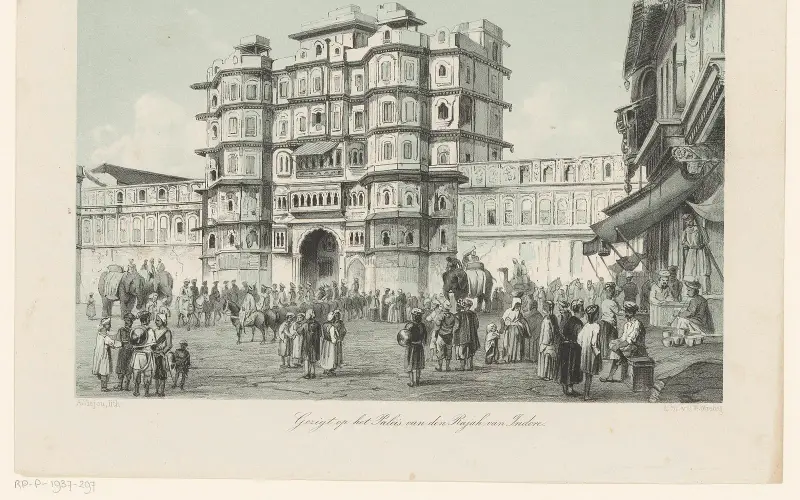
Plan a trip →Indore district is a district of Madhya Pradesh state in central India. It is believed that the city is named after its Indreshwar Mahadev Temple, where Indra is the presiding deity as Indra+Oor. The Gupta inscriptions name Indore as "Indrapura". It is also called the administrative capital. This district forms part of…
10 నిమిషాల్లో మీ వ్యాపారం ఆన్లైన్లోకి
Just tell us your business name and type — your site is ready instantly. Add photos from your phone. No technical knowledge needed.
- Your own site: name-indore.mydistrict.in
- Bookings, menus or appointments
- WhatsApp, call and map buttons
- UPI payment details & QR poster
- Listed in the MyDistrict app
- Visitor and enquiry reports
మీ జిల్లా మీ జేబులో
Add MyDistrict to your home screen — it works like an app, even on slow networks. Business owners manage their site, bookings and enquiries from the same app.